
How RAMDeck
Actually Works
Think of RAMDeck as the conductor, and every computer you own as an instrument that’s been sitting silent. Alone, none of them can carry the whole piece. Together, conducted, they can.
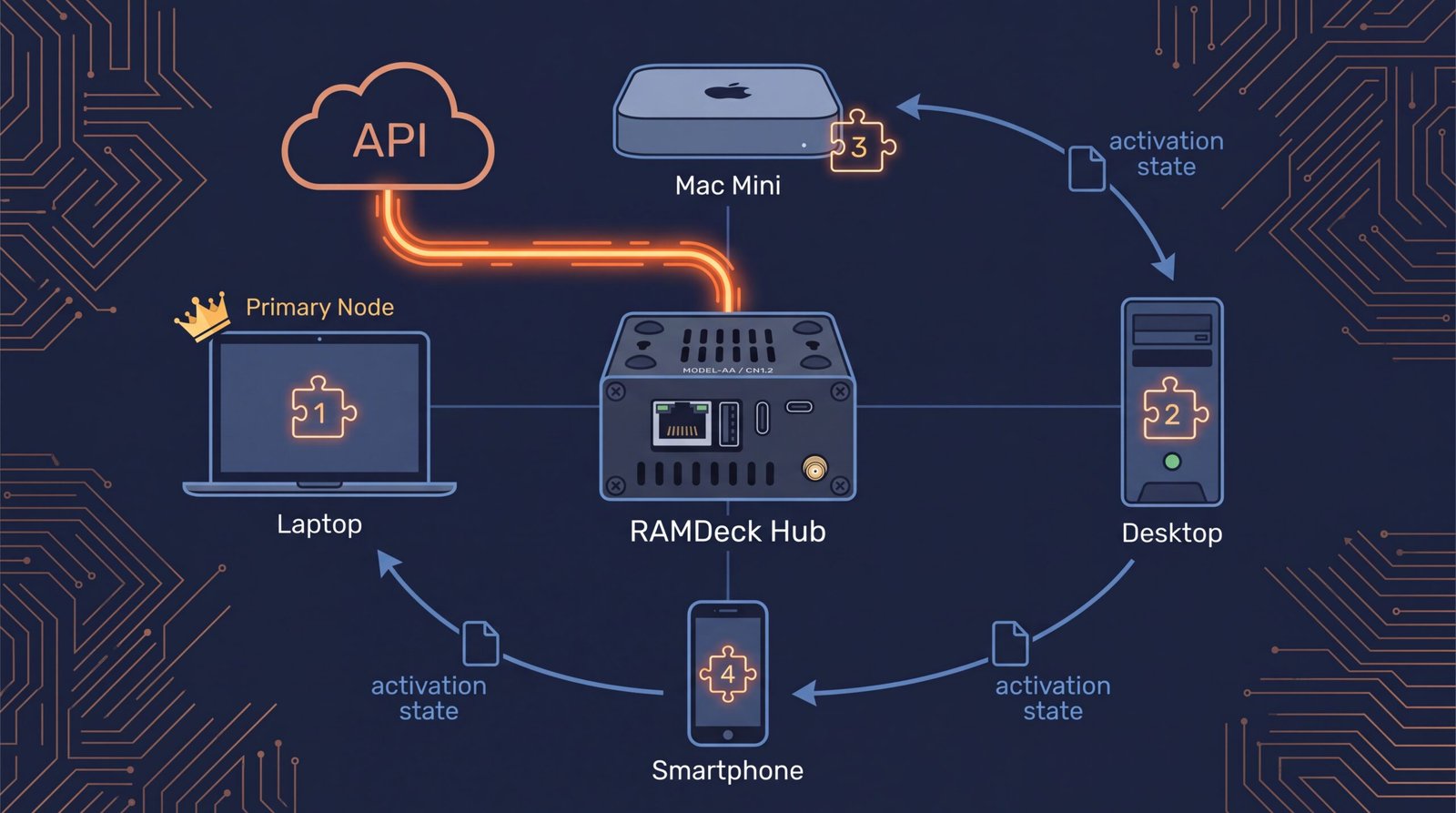
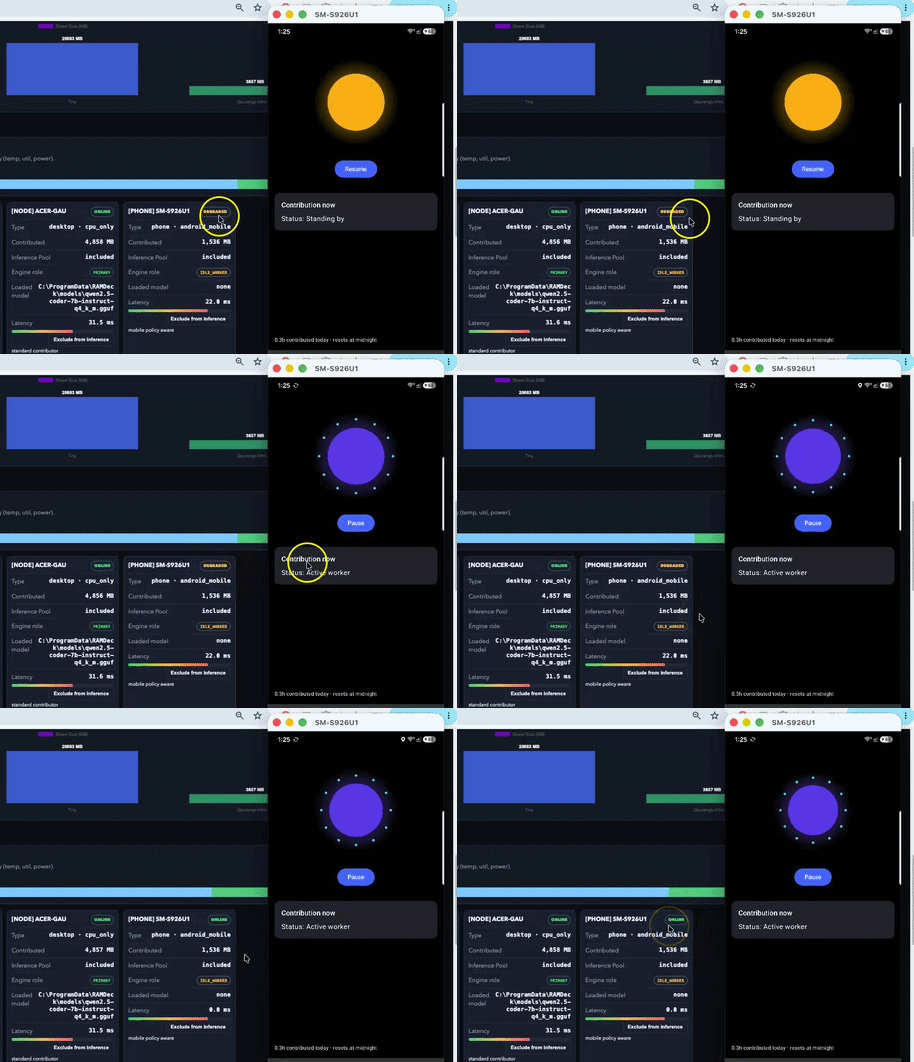
Power on RAMDeck and connect it to your network. This is your conductor — it doesn’t play a single note itself. To connect a computer in seconds with zero installation, plug in the included Official RAMDeck Node USB (free $29 value with every Hub) and double-click once—then unplug the USB and walk it to the next computer (watch the 4-minute Node USB demo). Or install the permanent 1-click RAMDeck app on each computer you want in the orchestra. For iPhones and iPads, simply download the free RAMDeck Distributed AI companion app on the Apple App Store, connect to your hub’s LAN IP address over Wi-Fi, and your mobile device joins the cluster. No manual builds. No hunting for drivers.
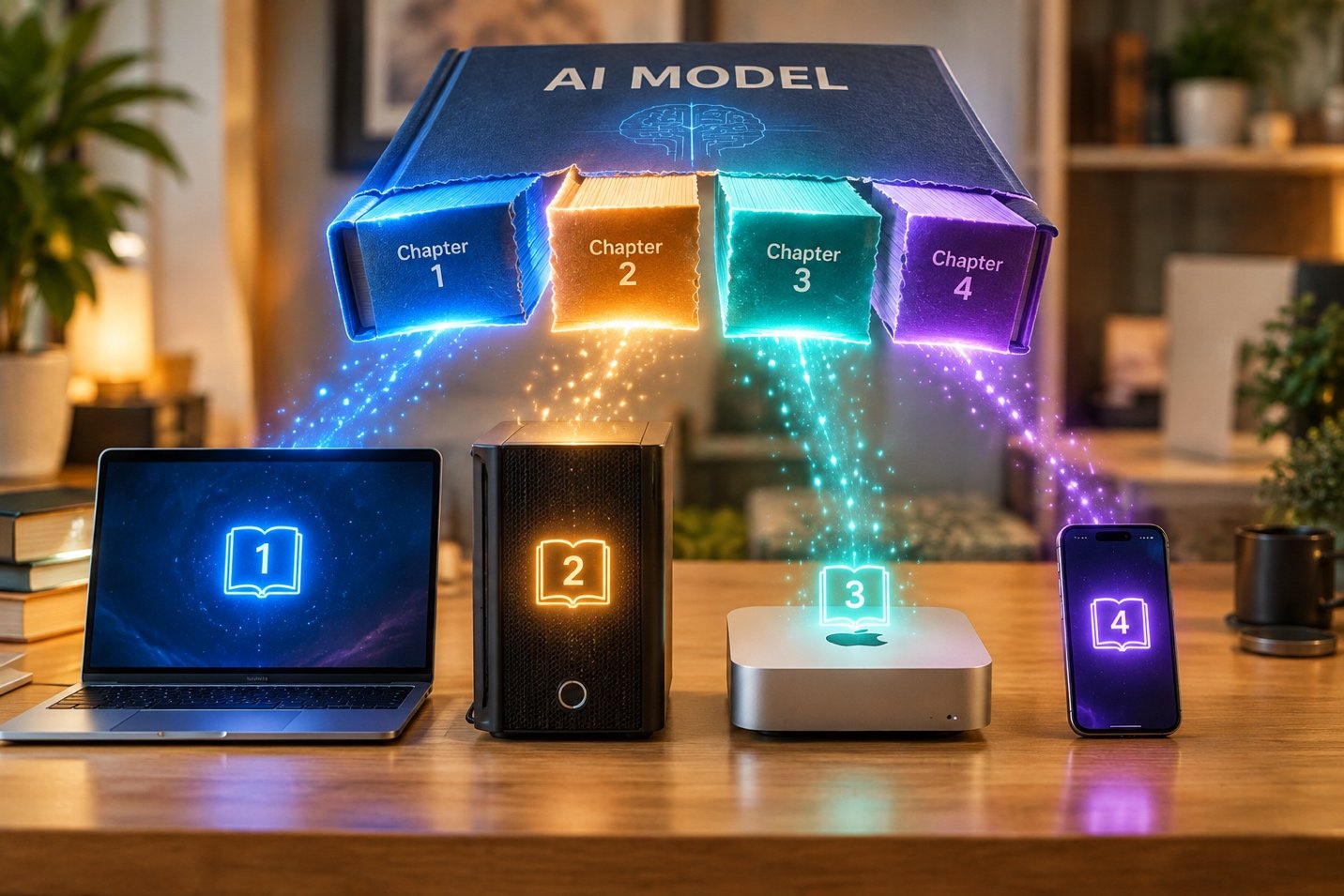
Your machines find the hub automatically the moment they’re online. Watch it here → RAMDeck distributes the model. Think of a massive AI model like a giant textbook that is too large for one machine’s RAM. RAMDeck doesn’t constantly shuffle data back and forth. Instead, it hands out different “chapters” (layers) to different machines once at the start. Each machine keeps its chapters in its own memory for the whole session.
You pick a “primary node”. The primary machine hosts the model and shards it to other devices.
Generating a response works like a relay race: one machine reads its chapters, writes a tiny summary note of what it found (the activation state), and passes that note over the network to the next machine. The next machine reads its own chapters plus that note, writes its own note, and passes it along.

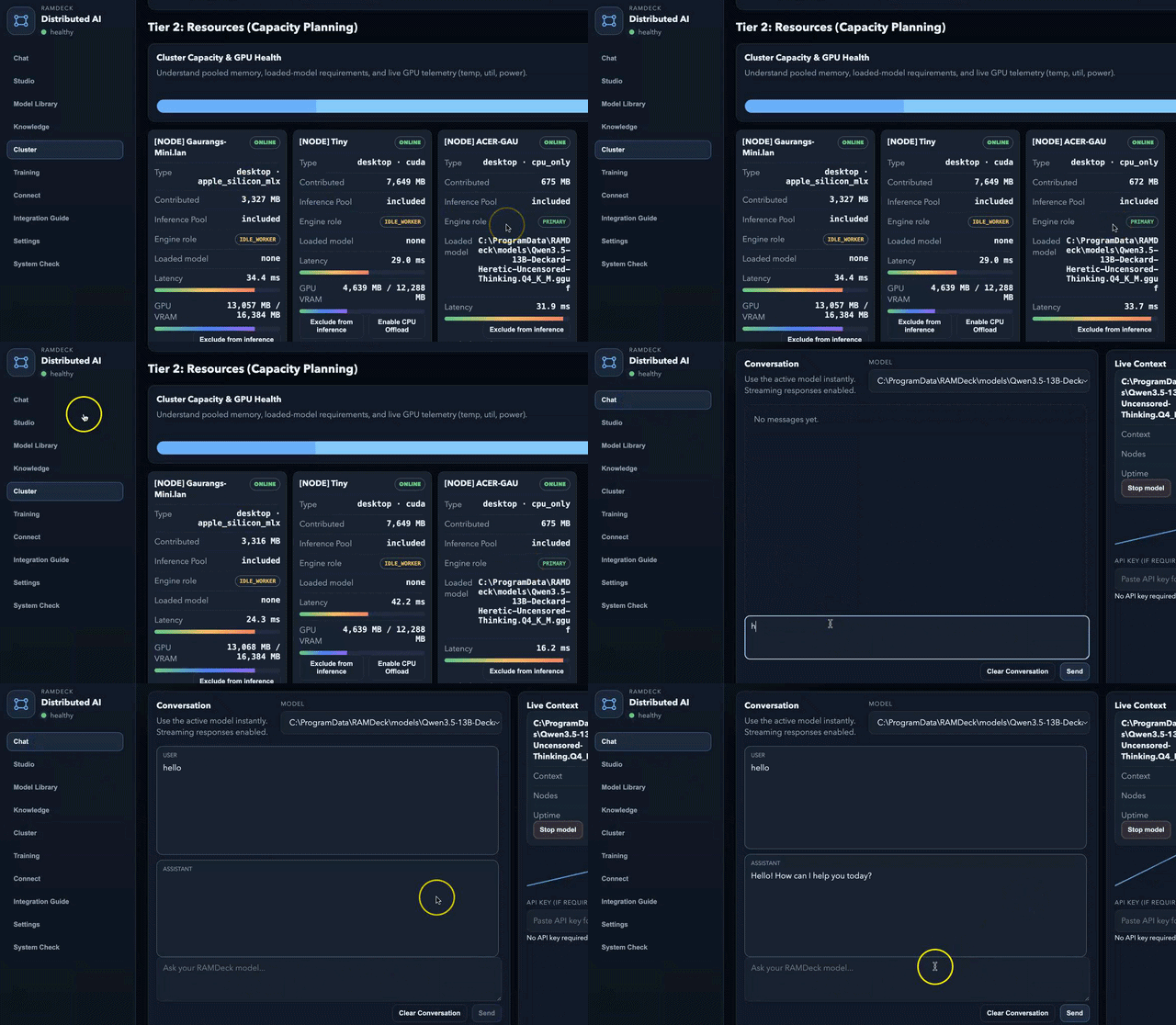
Add one more computer, unlock one more tier. RAMDeck’s live dashboard tells you exactly what just became possible based on your newly pooled memory.
Don’t Believe Us. Prove It Yourself.
Here’s the part most companies would never let you do: we’re handing you the exact stopwatch we used on ourselves.
We put RAMDeck through the worst-case scenario on purpose. Our test cluster’s “primary” — the seat that has to carry the model — was an aging Windows Acer laptop with 12GB of RAM and a slow spinning HDD. No GPU. The kind of machine most people would call a paperweight for AI work.
We wired it up anyway, let it borrow capacity from a Mac Mini and a Windows desktop (RTX 3060 CUDA), and pointed a full 13-billion-parameter Qwen3.5 model at it.
It didn’t just survive — it ran at 11-12 tokens/sec, a real chat pace, on hardware that couldn’t have loaded this model alone. Watch it happen →
An aging HDD laptop “held” and served a massive 13B model purely because RAMDeck orchestrated the API and offloaded the heavy tensor math over the network to the Mac and RTX 3060. We’ve also pushed it further: running 27B models, 40B massive models, pooling RAM across two iPhones and a MacBook to run 30B models over Wi-Fi, coding from another room via Continue.dev, and indexing dense knowledge bases on the exact same 12GB laptop. You can watch all of these raw benchmarks on our Demos page or read full hardware specs and telemetry in What Speed Looks Like on a Pile of Old Computers →
Now here’s the dare:
Every RAMDeck cluster ships with its own benchmark button. One click gets you your own real, timestamped number. You can experiment different nodes/devices and see which combination works best for you. We’d rather hand you proof than ask for faith.
Take Back Control of Your AI
134% Funded on Indiegogo! Order the RAMDeck Hardware Hub directly for $199 and receive 1 Official RAMDeck Node USB ($29 retail value) completely FREE ($0 Free US Shipping / $20 International · Est. Shipping: January).
Buy RAMDeck Now